Getting Started
Its simple, install the CLI into your project or machine, setup the Codegen configuration file to include all the code your heart desire, customize it, and generate it at build time or whenever you feel like it.
Install
Installing the CLI can be done inside a project or within your system.
| Package manager | MacOS x64 | MacOS arm64 | Windows x64 | Windows x32 | Linux (Debian) | Linux (Others) |
|---|---|---|---|---|---|---|
You can find all the possible commands in the usage documentation.
Initialize
Add a configuration file, either manually or through the CLI;
codegen init
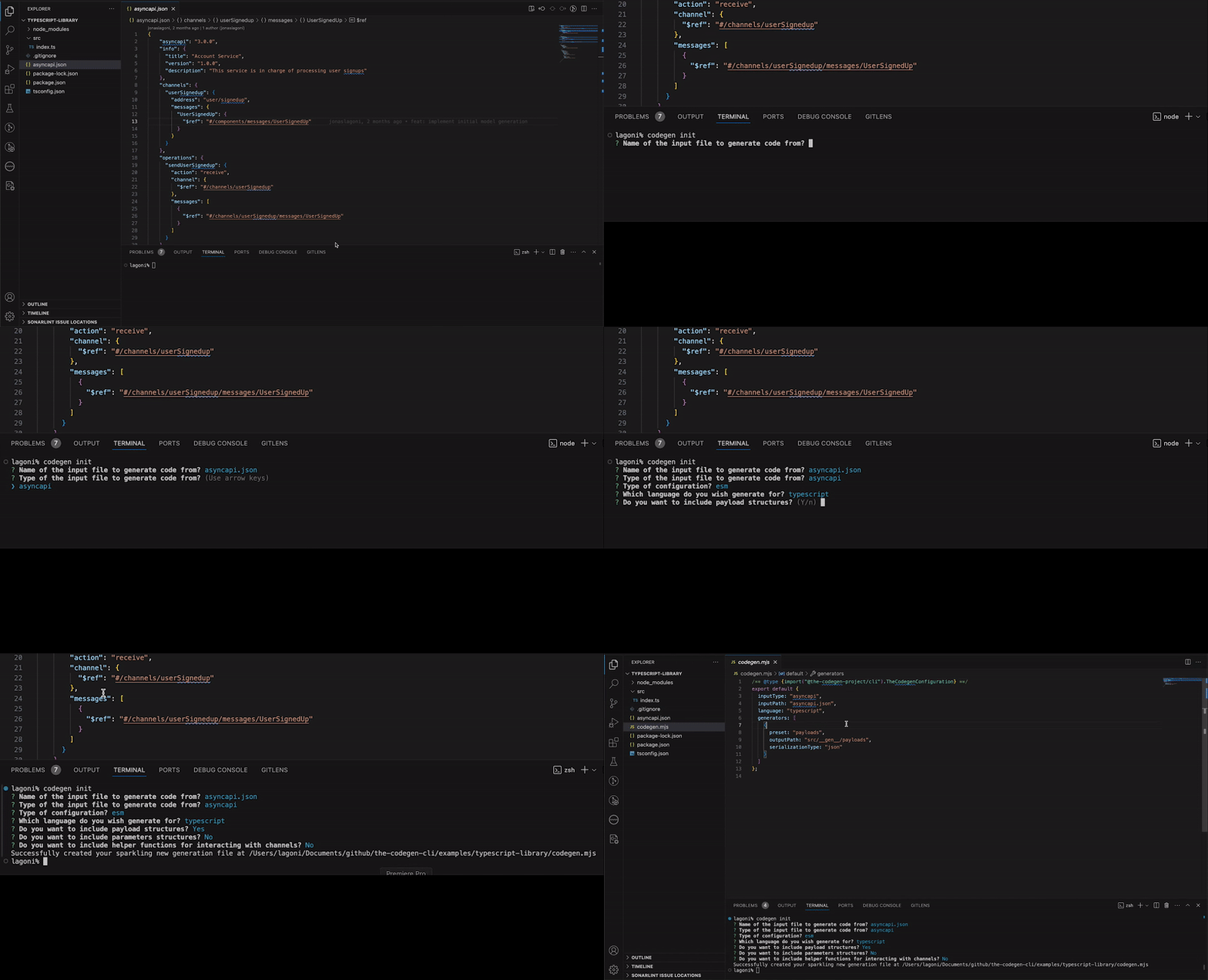
Customize it to your heart's desire! Each generator has unique set of options
Integrate
With your configuration file in hand, time to integrate it into your project and generate some code! Checkout all the integrations for inspiration how to do it.
Generate Code
One-time Generation
# Generate code once
codegen generate

# Generate with specific config file
codegen generate ./my-config.js
Development with Watch Mode
For active development, use watch mode to automatically regenerate code when your input files change:
# Watch for changes in the input file specified in your config
codegen generate --watch

# Watch for changes in a specific file or directory
codegen generate --watch --watchPath ./my-asyncapi.yaml

# Short form
codegen generate -w -p ./schemas/
Pro tip: Use watch mode during development to keep your generated code in sync with your API specifications. Press Ctrl+C to stop watching.
What's Next?
Now that you've installed the CLI and generated your first code, here's where to go next:
Understanding Generators
Learn how generators work and what they can do for your project. Generators are the core of The Codegen Project - they determine what code gets generated from your API specifications.
Protocol Support
Discover how The Codegen Project supports various messaging protocols like NATS, Kafka, MQTT, and more. Understand how protocol-specific code generation works and which protocols are available.
👉 Learn about Protocol Support →
Explore Further
- Generator Documentation - Detailed documentation for each generator type
- Protocol Documentation - Complete protocol reference and implementation details
- Input Types - Learn about AsyncAPI, OpenAPI, and JSON Schema support
- Examples - Real-world examples and integration patterns